点击此处查看详细分析解答
如何配置并调用 Redfish 接口的定制化脚本以实现空响应体
根据您提供的需求和环境信息,您希望为一个自定义 Redfish POST 接口 /redfish/v1/Managers/1/LogServices/Actions/Oem/openUBMC/CollectNPULog 实现:执行成功时返回空响应体(Empty Body),失败时返回标准错误信息。
这属于 openUBMC 中的 Redfish 接口定制化范畴。以下是详细的配置和调用方法,基于 openUBMC 2512_lts 版本。
 一、需求分析
| 需求项 |
当前行为 |
期望行为 |
| 成功响应 |
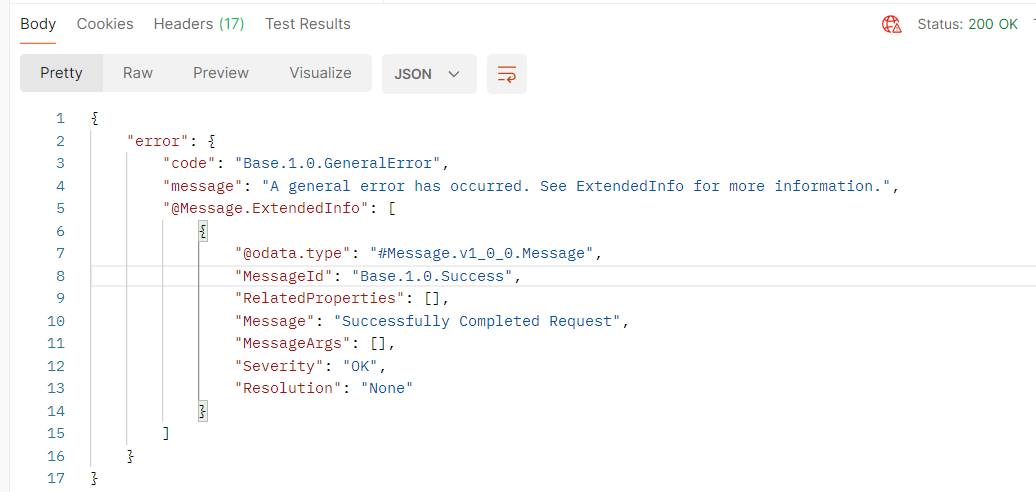
返回带有 "Base.1.0.Success" 的 error 结构(虽然 Success,但语义不一致) |
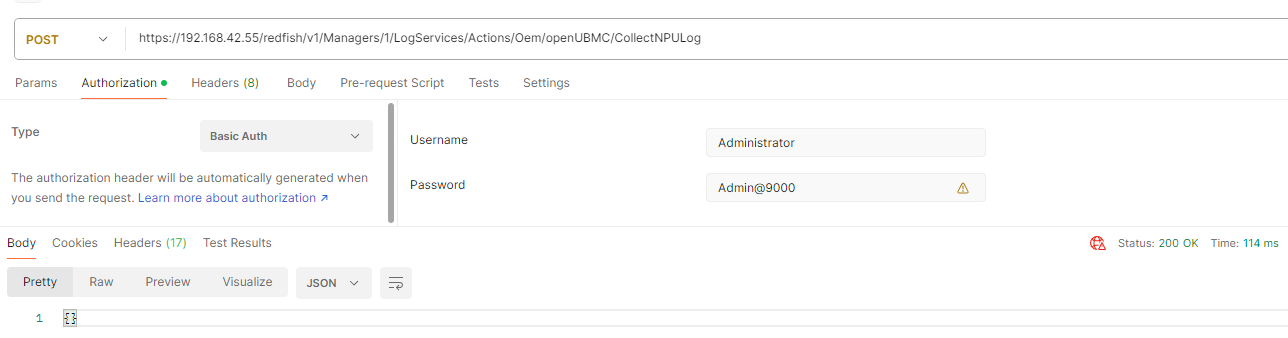
返回 空响应体,HTTP 状态码为 200 OK |
| 失败响应 |
返回错误信息 |
保持原样,返回标准 Redfish 错误结构 |
| HTTP Header |
Content-Type 正确,但 Content-Length 未显式控制 |
成功时 Content-Length: 0 |
您的 Lua 脚本逻辑是正确的,但需要正确注册到 Redfish 映射配置中才能生效。
 二、相关文件结构与位置
在 openUBMC 架构中,接口的响应处理通过 接口映射配置 + Lua Plugin / Script 实现:
interface_config/
└── redfish/
    └── mapping_config/
        ├── config.json                          # 主配置,定义模块加载
        ├── managers/
        │   └── logservices_actions_oem_collectnpulog.json   # 自定义接口映射文件
        └── plugins/
            └── collectnpulog_postprocessor.lua  # 您的脚本存放位置
 三、实现步骤
第一步:创建定制接口的映射文件
文件路径示例:
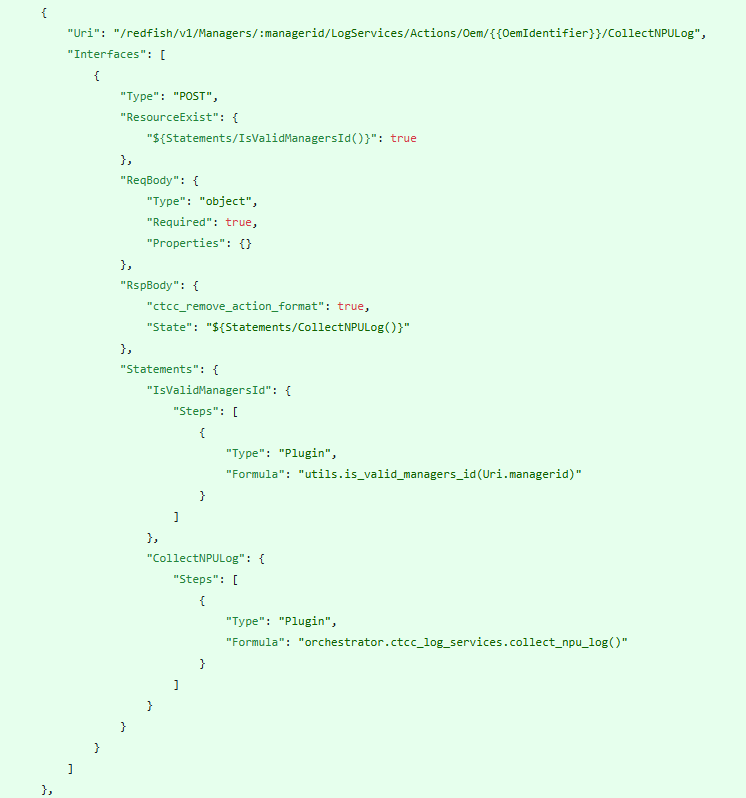
interface_config/redfish/mapping_config/managers/logservices_actions_oem_collectnpulog.json
{
  "Uri": "/redfish/v1/Managers/1/LogServices/Actions/Oem/openUBMC/CollectNPULog",
  "Plugin": {
    "Name": "CollectNPULogPlugin",
    "Formula": "collectnpulog_plugin:handle_collectnpulog_post"
  },
  "Type": "Post",
  "ResourceExist": true,
  "ReqBody": {
    "Schema": "ActionSchema"
  },
  "RspBody": {
    "Formula": "rsp_postprocess"
  },
  "ProcessingFlow": [
    {
      "Plugin": {
        "Name": "PostProcessHook",
        "Formula": "collectnpulog_plugin:rsp_postprocess"
      }
    }
  ]
}
 注意:该 URI 必须与您实际注册的 Redfish 路径一致。
第二步:编写 Lua Plugin 脚本
文件路径示例:
interface_config/redfish/plugins/collectnpulog_postprocessor.lua
local cjson = require 'cjson'
local http = require 'http'

-- 主处理函数
local function handle_collectnpulog_post(req_body)
    -- 模拟业务逻辑,例如触发 NPU 日志收集
    local success, err_msg = pcall(function()
        -- TODO: 调用底层命令或服务收集 NPU Log
        -- 如:os.execute("collect_npu_logs.sh")
    end)

    if success then
        return { code = http.HTTP_OK }
    else
        return {
            code = http.HTTP_INTERNAL_SERVER_ERROR,
            body = {
                error = {
                    code = "Base.1.0.GeneralError",
                    message = "Failed to collect NPU log.",
                    ["@Message.ExtendedInfo"] = {
                        {
                            ["@odata.type"] = "#Message.v1_0_0.Message",
                            MessageId = "Base.1.4.InternalError",
                            Severity = "Warning",
                            Resolution = "Retry or contact technical support."
                        }
                    }
                }
            }
        }
    end
end

-- 响应后处理函数(定制响应体和头)
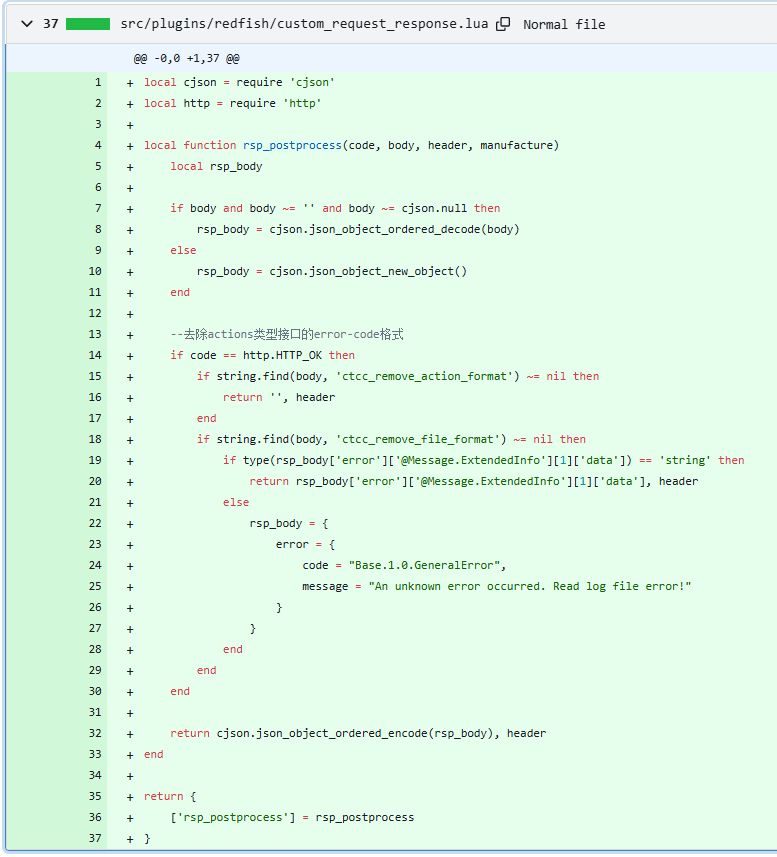
local function rsp_postprocess(code, body, header, manufacture)
    local rsp_body
    local rsp_header = header or {}

    if code >= http.HTTP_OK and code < http.HTTP_SPECIAL_RESPONSE then
        -- 成功情况:返回空响应体
        rsp_body = nil
        rsp_header["Content-Length"] = "0"
    else
        -- 失败情况:解码原有 body 或构造默认 error
        if body and body ~= "" then
            rsp_body = cjson.decode(body)
        else
            rsp_body = {
                error = {
                    code = "Base.1.0.GeneralError",
                    message = "An unknown error occurred."
                }
            }
        end
        rsp_header["Content-Type"] = "application/json"
    end

    return rsp_body and cjson.encode(rsp_body) or "", rsp_header
end

return {
    handle_collectnpulog_post = handle_collectnpulog_post,
    rsp_postprocess = rsp_postprocess
}
第三步:确保主配置加载自定义模块
修改 interface_config/redfish/mapping_config/config.json
添加插件路径:
{
  "JsonPath": "mapping_config",
  "SchemaPath": "schema",
  "PluginPath": "plugins",
  "ScriptPath": "scripts",
  "Modules": [
    "managers/logservices_actions_oem_collectnpulog.json"
  ]
}
第四步:构建并部署配置文件
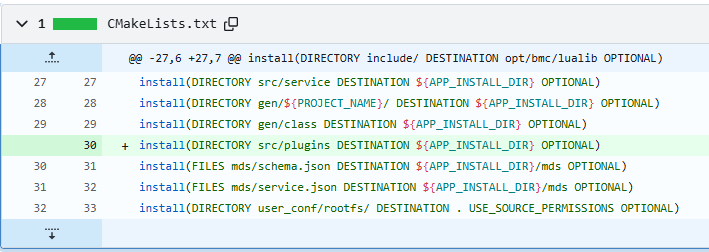
- 将上述文件加入您的构建系统(如 manifest 编译流程)。
- 确保最终生成的镜像包含更新后的
mapping_config 目录。
- 刷写固件或更新文件系统后重启 BMC。
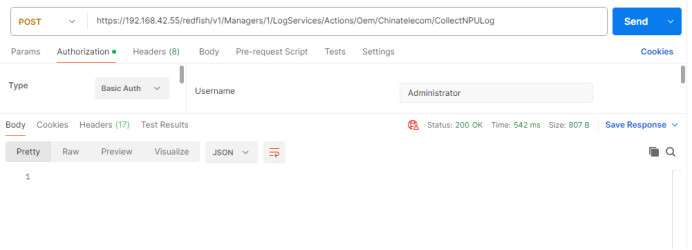
第五步:使用 Postman 测试接口
请求方式:
POST /redfish/v1/Managers/1/LogServices/Actions/Oem/openUBMC/CollectNPULog
Host: <BMC_IP>
Authorization: Basic xxx
Content-Type: application/json
请求体(可选):
{}
成功响应(期望):
HTTP/1.1 200 OK
Content-Length: 0
Date: Mon, 06 Jan 2025 10:00:00 GMT
无响应体内容。
失败响应示例:
{
  "error": {
    "code": "Base.1.0.GeneralError",
    "message": "Failed to collect NPU log.",
    "@Message.ExtendedInfo": [
      {
        "@odata.type": "#Message.v1_0_0.Message",
        "MessageId": "Base.1.4.InternalError",
        "Severity": "Warning",
        "Resolution": "Retry or contact technical support."
      }
    ]
  }
}
 四、关键知识点说明
| 概念 |
说明 |
| Mapping Config |
Redfish 接口的核心定义文件,决定 URI、方法、参数、响应处理流程 |
| Plugin vs Script |
Plugin 是可复用的函数模块;Script 是一次性逻辑(不推荐用于此场景) |
| ProcessingFlow |
接口执行流程控制,可用于插入前置/后置处理逻辑 |
| RspPostProcess |
特殊 hook 函数,用于定制最终返回内容和 Header |
| http.HTTP_OK |
通常为 200,定义在 http 模块中 |
 常见问题排查
| 问题 |
可能原因 |
解决方案 |
| 接口 404 Not Found |
映射文件未加载或路径错误 |
检查 config.json 的 Modules 列表 |
| 返回仍是 error 结构 |
rsp_postprocess 未注册进 ProcessingFlow 或未返回 nil |
确保流程中调用了 postprocess 函数 |
| Content-Length 不为 0 |
未显式设置 rsp_header["Content-Length"] = "0" |
显式设置 Header |
| 脚本语法错误 |
Lua 语法问题或 require 失败 |
检查日志 /var/log/redfish.log 或使用 luac 预编译验证 |
总结
要使您的定制化脚本生效,必须完成以下三步:
- 创建映射 JSON 文件,绑定 URI 和 Plugin 函数;
- 编写 Lua Plugin 脚本,包含业务逻辑和
rsp_postprocess 后处理函数;
- 将配置纳入构建系统,确保部署后能被 Redfish 框架加载。
推荐方式:将所有自定义接口统一放在 managers/, systems/ 等子目录下管理,便于维护。
 参考文档
参考文档
如果您使用的是定制仓,建议将以上修改放入 custom_request_response.lua 或独立 plugin 文件中,并通过 Formula 引用。
如有需要,可进一步提供 bmcgo 或 manifest.yml 构建配置以协助集成。