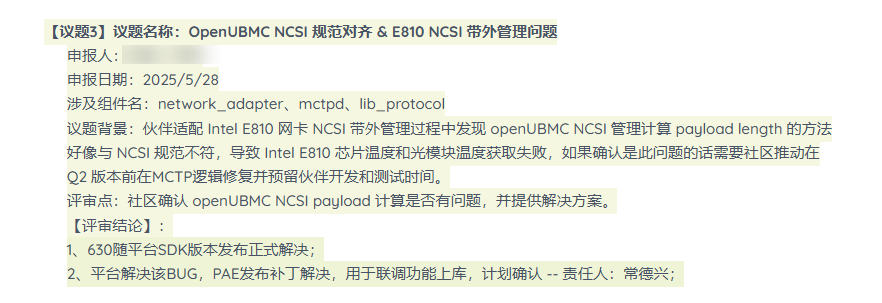
【注】网卡带外管理问题属于很典型的问题,以后还有很多要适配,现放在论坛,请指导解决下问题
【背景】
需要在社区版本上适配 Intel 的 E810 网卡,该网卡支持 NCSI 协议获取网卡信息,对该网卡进行了SR 的配置,但由于当前 network_adapter 组件中支持的 CX5、CX6…等芯片不满足 Intel E810 网卡的芯片类型,需要针对 E810 进行单独适配,于是在 network_adapter 组件的 hardware_config 目录下新增了一个 E810.lua 用于该网卡的带外信息的获取。
【问题描述】
由于 E810 网卡的带外信息获取通过标准的 NISC 协议获取,当前network_adapter 组件的 hardware_config 目录下 BoradCom.lua 中使用的是标准 NCSI 协议获取,我们尝试新增的 E810.lua 文件直接继承 BoradCom.lua,并在此基础上新增了 Intel E810 的 NCSI OEM 命令去获取芯片温度和光模块温度,现在代码编译出的包在机器上现象如下:
- 继承的 BoradCom.lua 后光模块的链接状态可以正常获取;
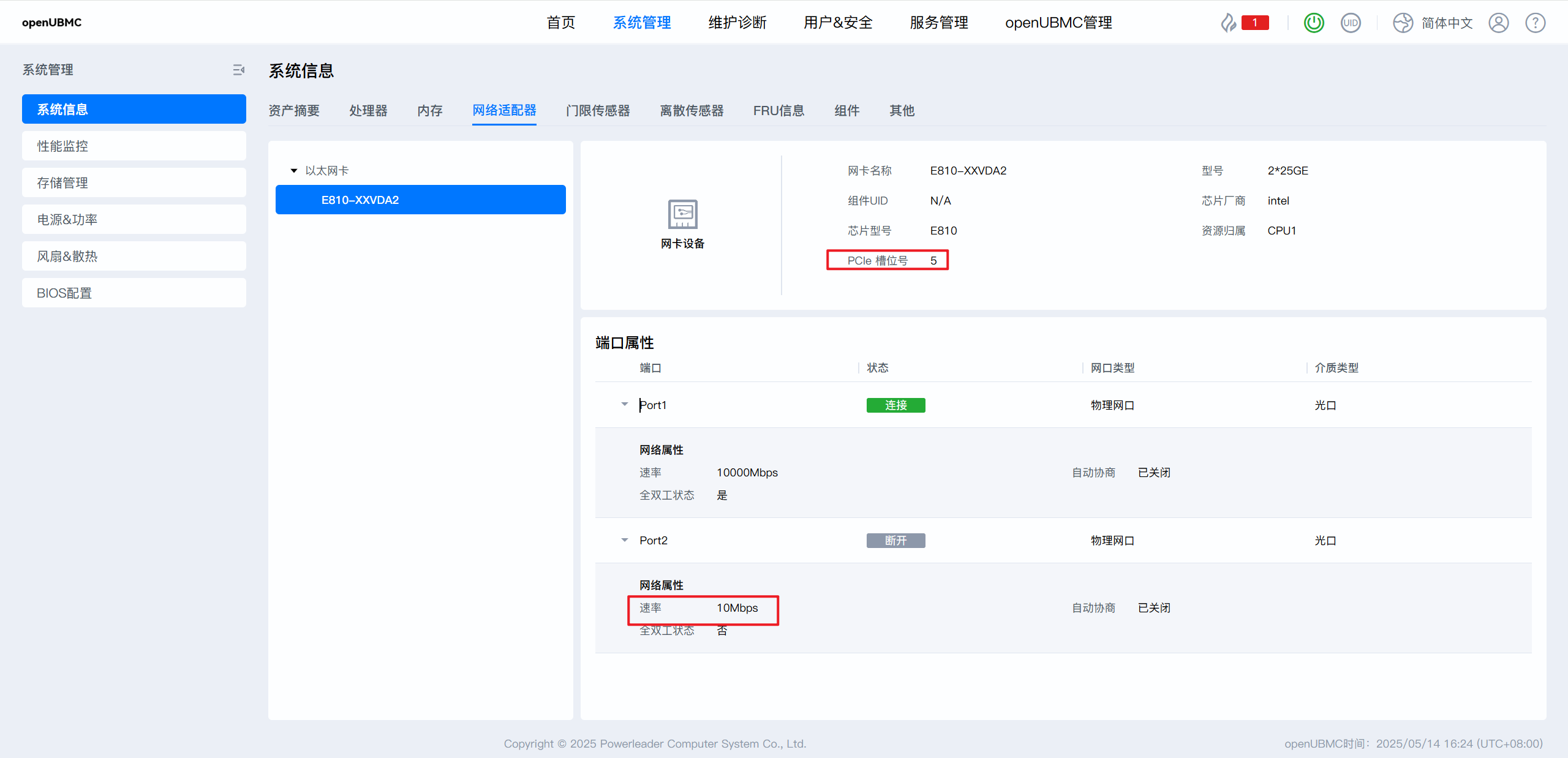
- 网卡的网络属性速率能够获取,但断开的网口速率显示为 10Mbps;
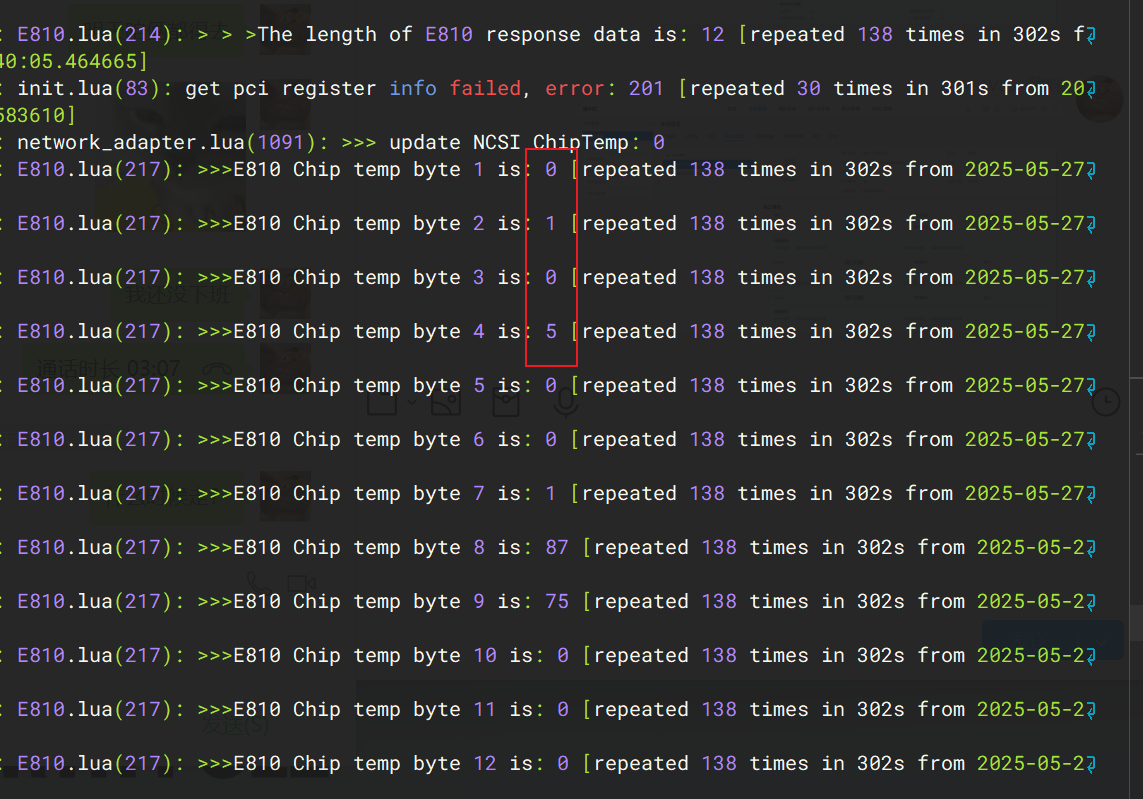
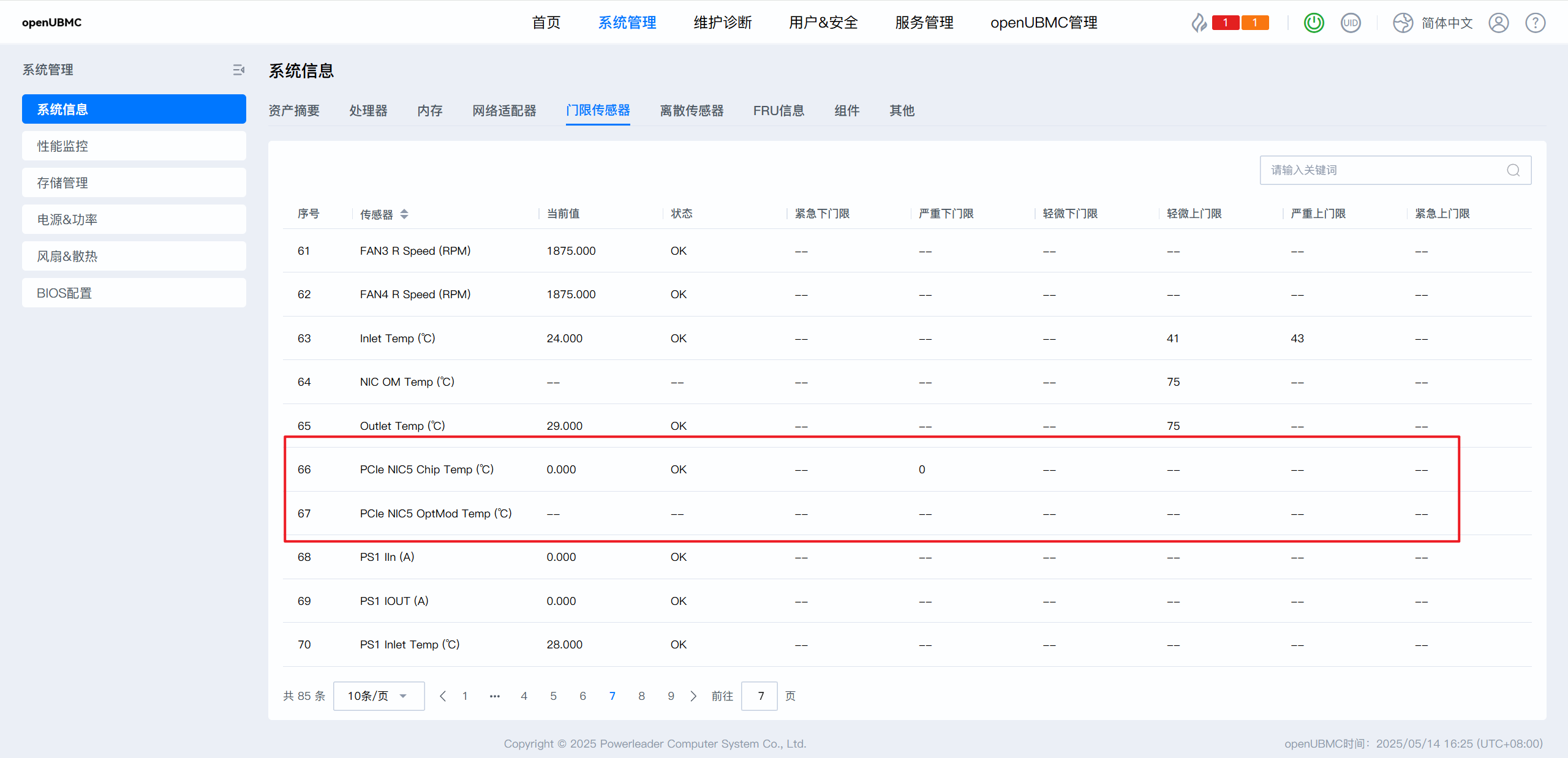
- 芯片温度传感器、光模块温度传感器能够显示但是芯片温度的读数始终为0,光模块无论在不在位,光模块温度传感器读数始终显示 --;
【E810 OEM 命令】
- 芯片温度
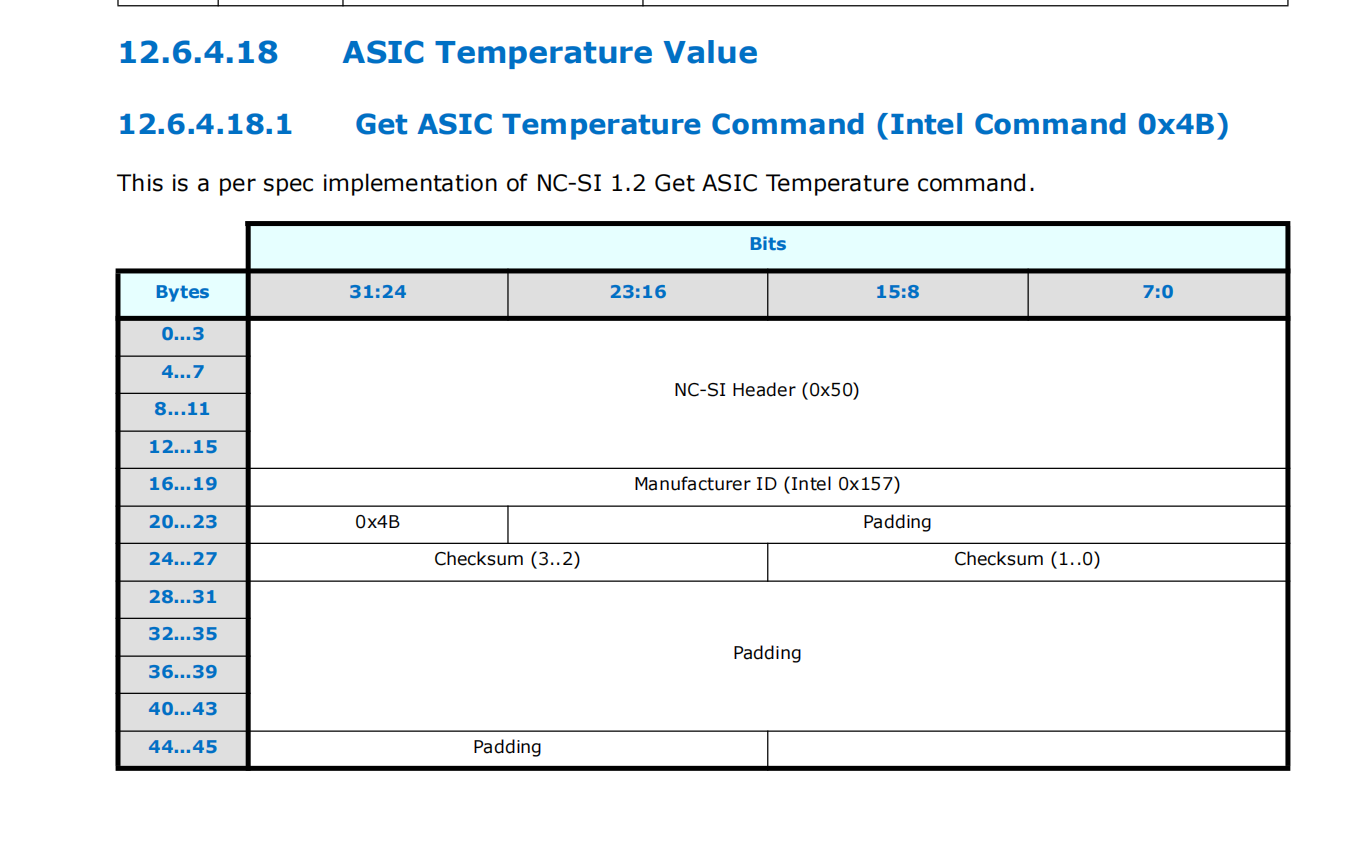
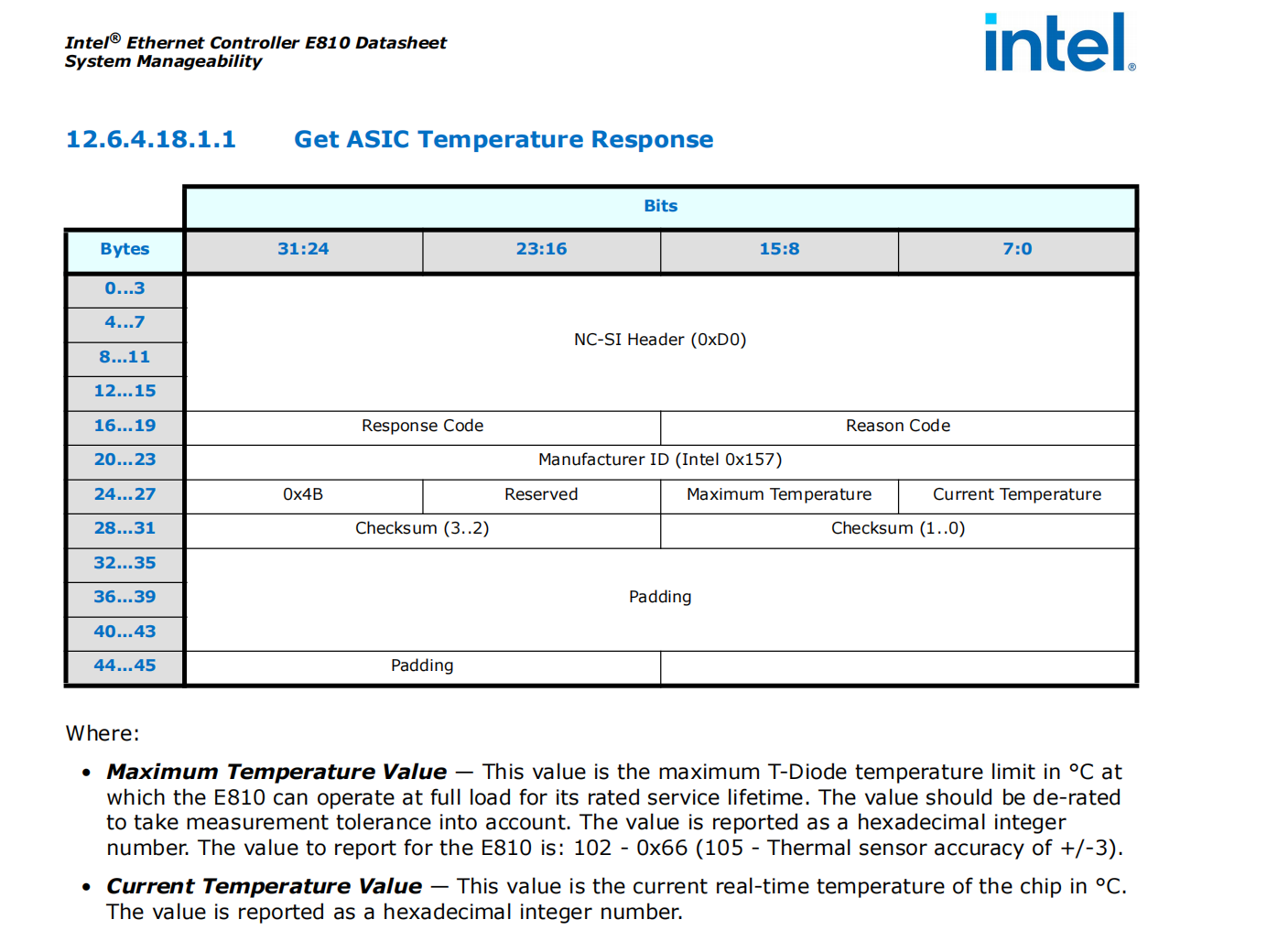
- 光模块温度
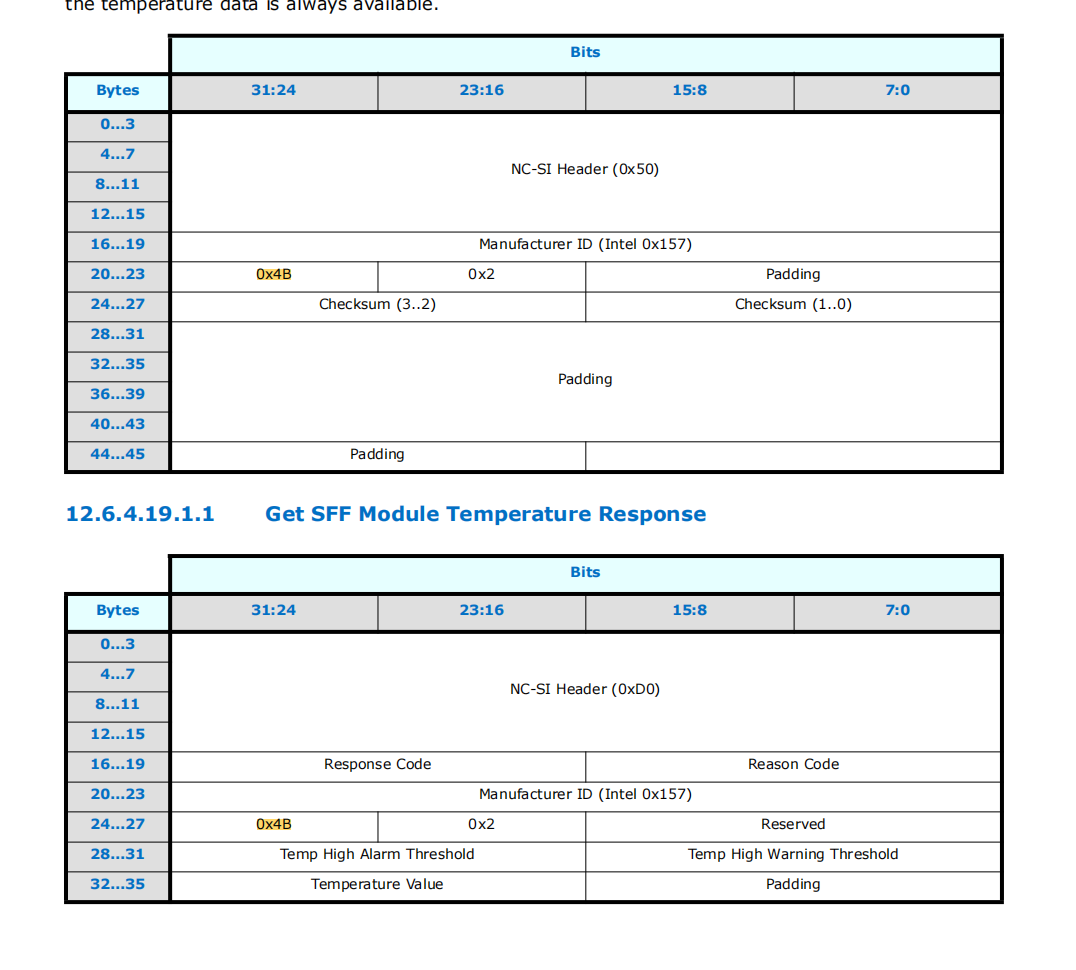
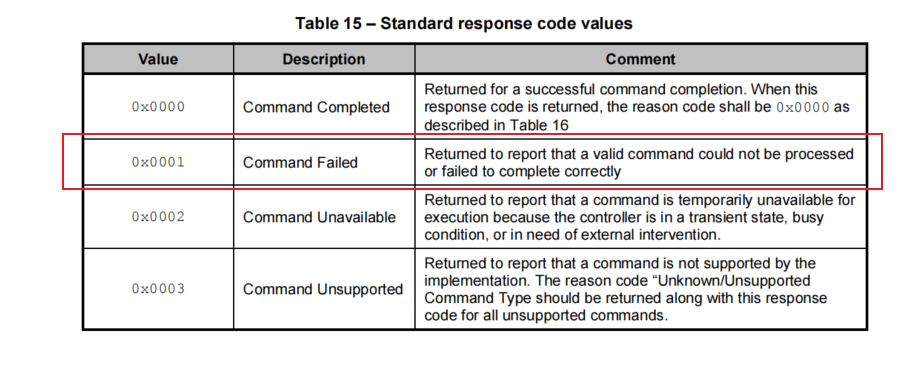
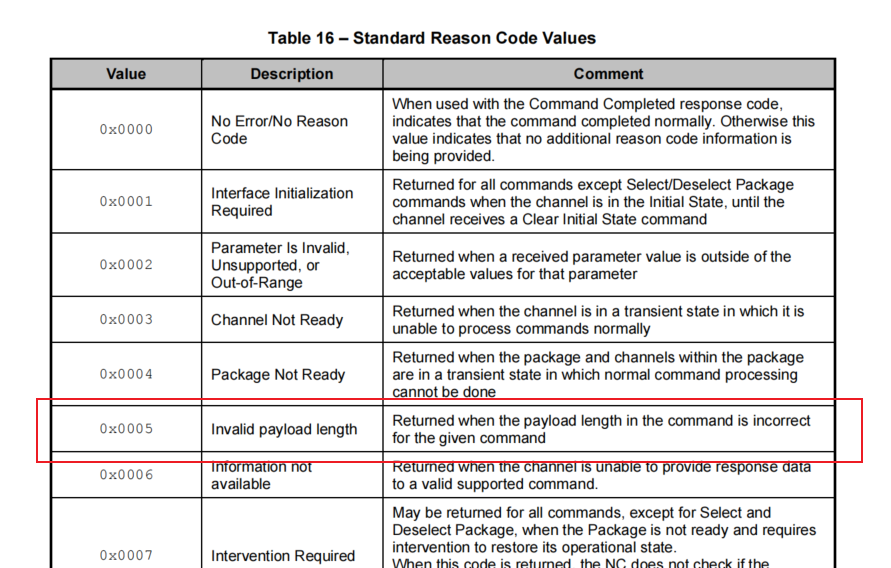
(尝试过在 E810.lua 中加入 respone 的 bitstring unpack的打印,确实进入了respone流程但解析的 r 为空)
【求助点】
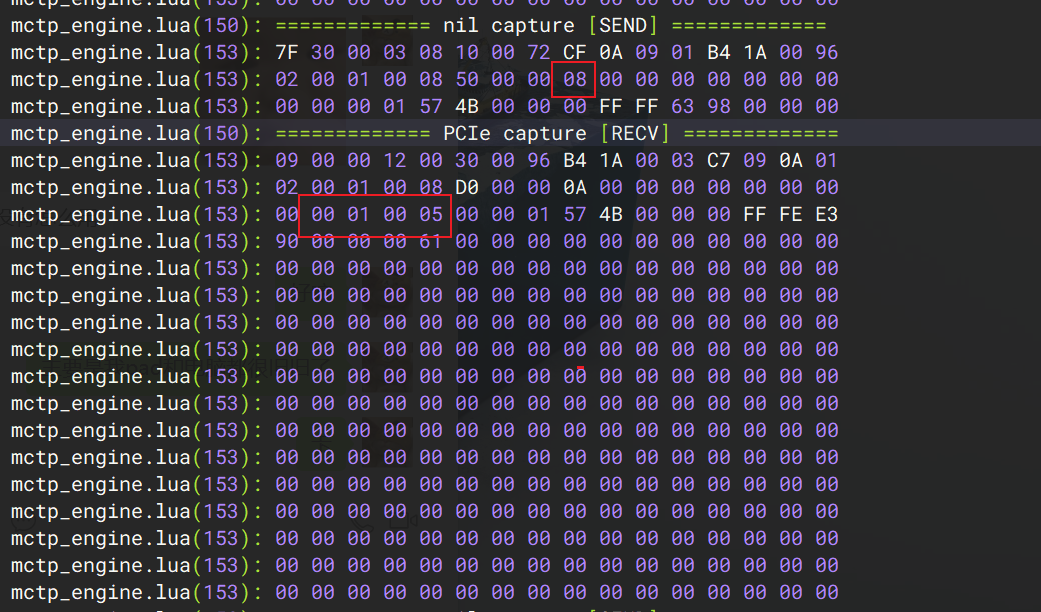
- 开源社区的MCTP为闭源组件,无法在MCTP组件添加打印,怎么确定 MCTP 有没有走通,怎么添加打印查看 NCSI OEM命令的 MCTP 报文和响应?
- 现在南向硬件协议库中接口能否提供一下文档说明支持哪些属性的带外获取?例如 E810 的 properties中的ChipTemp、OpticalTemp 等字段只能查看已有的CX4等lua文件去配置。
【代码&日志】
当前 E810.lua 内容如下
local bs = require 'mc.bitstring'
local log = require 'mc.logging'
local libmgmt_protocol = require 'libmgmt_protocol'
local utils = require 'mc.utils'

local BroadCom = require 'hardware_config.BroadCom'

local E810_ncsi = {
    protocol_dependencies = {ncsi_standard = {endpoint = nil}},
    properties = {
        -- 芯片结温
        ChipTemp = {
            protocol = 'ncsi_standard',
            action = 'on_schedule',
            period_in_sec = 2,
            request = {
                packet_type = 0x50,
                expect_rsp_packet_type = 0xD0,
                data = {
                    manu_id = { 0x00, 0x00, 0x01, 0x57 },
                    intel_cmd = 0x4B,
                    pad_data = { 0x00, 0x00, 0x00 }
                }
            },
            response = function(data)
                local r = bs.new([[<<
                    rsp_code:16,
                    reason_code:16,
                    manu_id:32,
                    intel_cmd:8,
                    reserved:8,
                    max_temp:8,
                    current_temp:8
                >>]]):unpack(data, true)
                return r.current_temp
            end
        },
        -- 光模块温度
        OpticalTemp = {
            protocol = 'ncsi_standard',
            action = 'on_schedule',
            period_in_sec = 2,
            request = {
                packet_type = 0x50,
                expect_rsp_packet_type = 0xD0,
                data = {
                    manu_id = { 0x00, 0x00, 0x01, 0x57 },
                    intel_cmd = 0x4B,
                    intle_prams = 0x02,
                    pad_data = {0x00, 0x00}
                }
            },
            response = function(data)
                local r = bs.new([[<<
                    rsp_code:16,
                    reason_code:16,
                    manu_id:32,
                    intel_cmd:8,
                    intle_prams:8
                    reserved:16,
                    alarm_temp:16,
                    warning_temp:16,
                    current_temp:16,
                    pad_data:16
                >>]]):unpack(data, true)
                local optical_temp = r.current_temp >> 8
                return optical_temp
            end
        }
    }
}

return {
    smbus = nil,
    mctp = function(endpoint)
        local broadcom = BroadCom.mctp(endpoint)
        for k, v in pairs(E810_ncsi.properties) do
            broadcom.properties[k] = v
        end
        return broadcom
    end
}
详细配置的代码以及一键收集的日志需提供邮箱后上传。