好的,了解了,非常感谢
陈工,你好,请问下我这边解决了这个终端提示找不到root_iBMC.img文件的问题(修改bmcgo python模块的相关源码),但还是提示升级失败,我用ipmcget -d d下载了日志,但是这个升级失败的日志是在哪里呀? AppDump/UPGRADE/这个目录下吗?
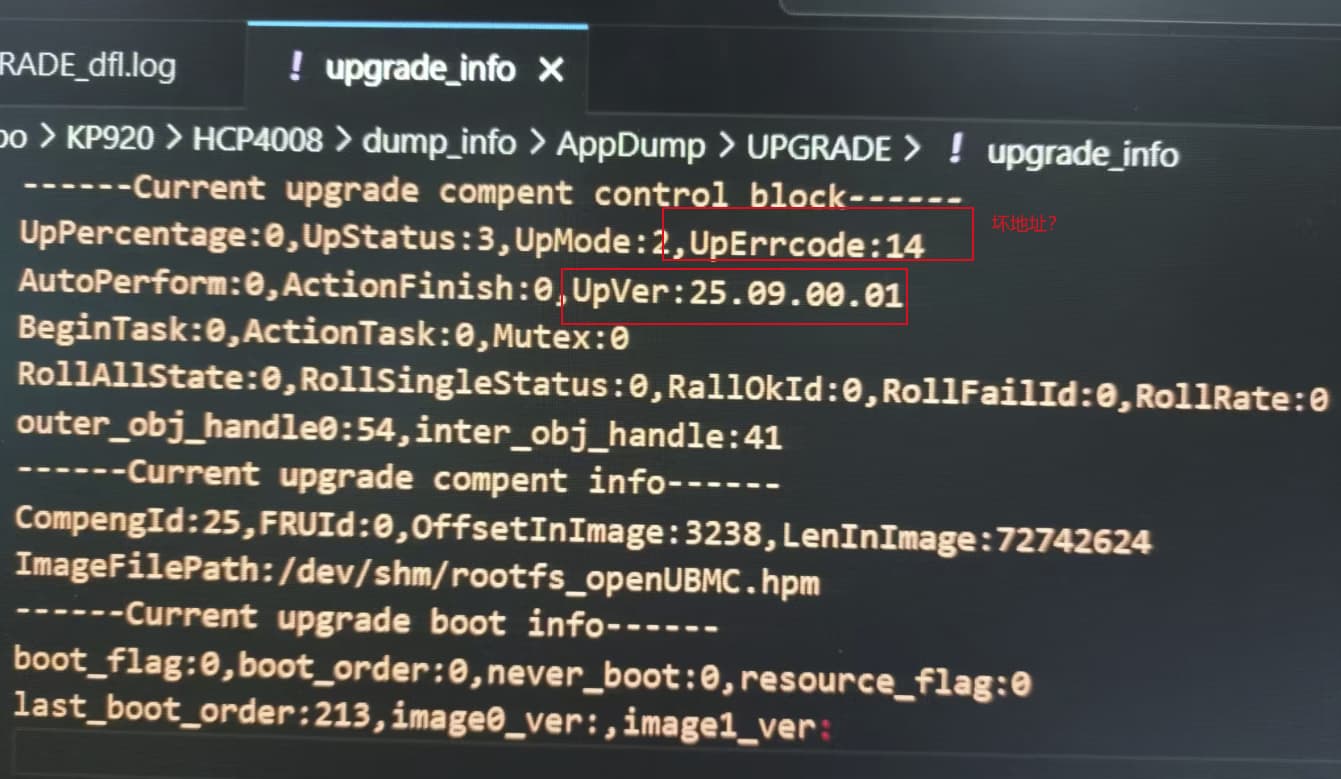
直接在V2 iBMC版本上升级自编译的社区版本(25.09),dump日志后,看到是这么个情况,对应的是iBMC web固件升级界面显示升级到54%左右 提示升级失败, 请问这个该如何处理呀? 是啥原因?
为解决升级到67%失败问题,按照”步骤**3无签名v2直升无签名构建前修改注意事项“,**可以编译出rootfs_iBMC.tar.gz文件,但编译不出来hpm文件,请问怎么解决?
编译生成文件:
root@ubuntu:/home/ubuntu/workspace3/manifest/temp/build_openUBMC_debug_dev/output# ll
total 367984
drwxr-xr-x 2 root root 4096 Jan 26 15:09 ./
drwxr-xr-x 14 root root 4096 Jan 26 15:09 ../
-rw-r–r-- 1 root root 394268672 Jan 26 15:09 rootfs_iBMC.img
-rw------- 1 root root 16 Jan 26 15:09 rootfs_iBMC.img.cms
-rw-r–r-- 1 root root 82241307 Jan 26 15:09 rootfs_iBMC.tar.gz
编译log:
复制文件 /usr/share/bingo/hpm_header.config 到 hpm_header.config
复制 /usr/share/bingo/hpm_header.config 到 hpm_header.config
复制文件 /usr/share/bingo/emmc_uboot_header.config 到 emmc_uboot_header.config
复制 /usr/share/bingo/emmc_uboot_header.config 到 emmc_uboot_header.config
打包: openUBMC_gpp.bin
ls -al hpm_top_header Hi1711_boot_4096.bin Hi1711_boot_pmode.bin hpm_sub_header rootca.der rootfs_BMC.img.cms cms.crl rootfs_BMC.tar.gz
/usr/bin/ls: cannot access ‘rootfs_BMC.img.cms’: No such file or directory
/usr/bin/ls: cannot access ‘rootfs_BMC.tar.gz’: No such file or directory
-rw-r–r-- 1 root root 15 Jan 26 15:09 cms.crl
-rw-r–r-- 1 root root 2097152 Jan 26 15:09 Hi1711_boot_4096.bin
-rw-r–r-- 1 root root 1048576 Jan 26 15:09 Hi1711_boot_pmode.bin
-rw-r–r-- 1 root root 164 Jan 26 15:09 hpm_sub_header
-rw-r–r-- 1 root root 512 Jan 26 15:09 hpm_top_header
-rw-r–r-- 1 root root 15 Jan 26 15:09 rootca.der
ERROR: 执行命令 ls -al hpm_top_header Hi1711_boot_4096.bin Hi1711_boot_pmode.bin hpm_sub_header rootca.der rootfs_BMC.img.cms cms.crl rootfs_BMC.tar.gz 错误, 日志: /home/ubuntu/workspace3/manifest/temp/log/task.log
ERROR: 任务 work.task_buildgppbin 执行失败, Command ‘[’/usr/bin/ls’, ‘-al’, ‘hpm_top_header’, ‘Hi1711_boot_4096.bin’, ‘Hi1711_boot_pmode.bin’, ‘hpm_sub_header’, ‘rootca.der’, ‘rootfs_BMC.img.cms’, ‘cms.crl’, ‘rootfs_BMC.tar.gz’]’ returned non-zero exit status 2.
ERROR: 任务 work.task_buildgppbin 执行失败
ERROR: 任务 personal 执行失败
ERROR: 请查看日志信息
conan install --requires=‘bingo_cases/[>=1.0.0]@openubmc/stable’ -u --deployer-folder=/tmp/tmpvfk7gq6k -of /tmp/tmpvfk7gq6k -d direct_deploy
[INFO unified_error_analyzer.py:186 analyze_errors]
[INFO unified_error_analyzer.py:187 analyze_errors]  开始统一错误分析
[INFO unified_error_analyzer.py:188 analyze_errors] ============================================================
[WARNING unified_error_analyzer.py:326 _output_unified_analysis]
 没有发现匹配的错误案例
timed out
timed out
timed out
timed out
timed out
ERROR: 运行子任务 work.task_hpm_envir_prepare 类 bmcgo.tasks.task_hpm_envir_prepare失败
timed out
ERROR: 运行子任务 work.task_build_rootfs_img 类 bmcgo.tasks.task_build_rootfs_img失败
timed out
timed outbingo/emmc_uboot_header.config 到 emmc_uboot_header.config
把这个文件/usr/share/bingo/hpm_header.config 里的rootfs_BMC.img.cms和rootfs_BMC.tag.gz 也都改成rootfs_iBMC.img.cms和rootfs_iBMC.tag.gz 的形式,因为你前面编译出来是rootfs_iBMC的形式
还有我记得bmcgo的python脚本中有个地方也固定写的是rootfs_BMC的形式,你找下,那里可能也要改下,我之前也改过那个地方
向请问一下,X10机型的V2升级到V3后,CPU板,硬盘背板都不显示了,电源也没办法上电。这种情况需要怎么处理?
你这个应该是sr文件里没做好适配
这个工具获取方式在哪里,谢谢

thanks
- manifest/build/sdk/manifest.yml
- manifest/build/product/BMC/openUBMC/manifest.yml
请教一下“默认用户名密码,出包时在manifest代码中对应manifest.yml中将account的option,改为manufacture: true” 指的是上面哪个manifest.yml文件
在manifest/build/product/BMC/openUBMC/manifest.yml 文件中, 如下即为装备包配置,default_options配置中开启了manufacture特性为true,表示所有组件使用了装备特性。
manufacture:
  0502TEST:
    package_name: "0502TEST.zip"
    build_type: debug
    default_options:
      manufacture: true
    files:
      - file: ${output_path}/rootfs_${board_name}.hpm
        dst: image.hpm
        verify:
          - pss
执行bingo build -t publish -z 0502TEST命令出包即可。
你可以配置自己的0502xxxx编码
社区没有这个crypto_tool工具,请向项目支持人员获取。
不是同一个东西
串口启动情况.txt (39.9 KB)
3.xx板本升级openubmc后;web连不上,想在串口下切分区恢复,但是
1)串口进入不了L1 和 UBOOT, 直接就拉起各个模块,没看到提示按ctrb+b;
2)运行一会儿后,串口应该切到cpu侧了,敲命令没反应,我记得是不是有一个串口下把输出切到bmc侧的命令【switch xxx】,这个命令具体是什么;现在web和ssh都登录不了,只能使用串口
BMC 3.xx.xx.xx版本可直接升级openubmc, 以后openubmc还可以刷回到BMC 3.xx.xx.xx版本吗?
为什么我看不到 使用bingo进行自签名BMC固件包指导的内容?
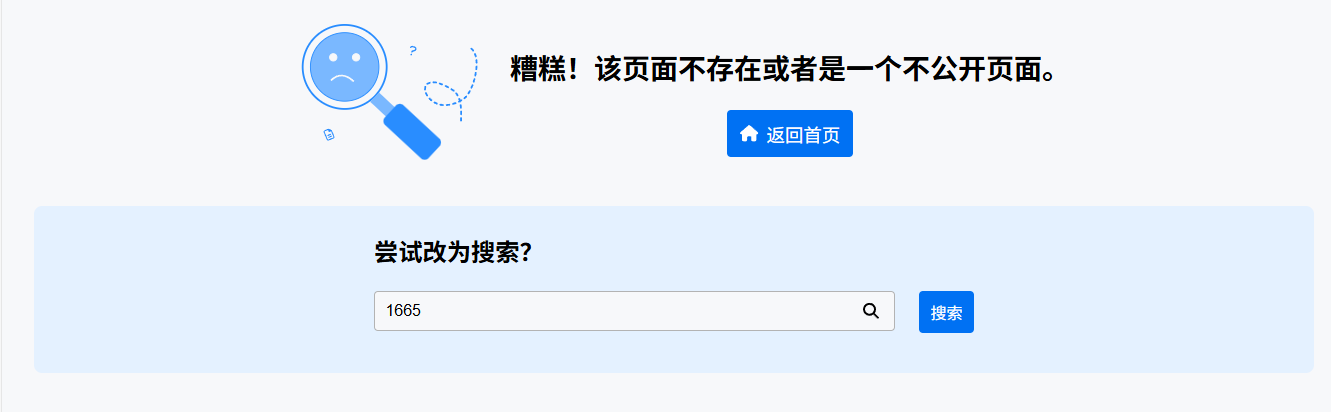
这是鲲鹏专区,要申请进去。
好的,感谢,正在申请