点击此处查看详细分析解答
如何在自定义组件 my_app 中调用其他组件的私有属性(如 TotalSystemMemoryGiB)
根据您提供的问题描述和上下文信息,您希望在自定义组件 my_app 中访问另一个组件(host_agent)中的属性 TotalSystemMemoryGiB,但在执行 bingo gen 时出现错误。以下是详细分析和解决方案。
 问题诊断
问题诊断
 报错原因分析
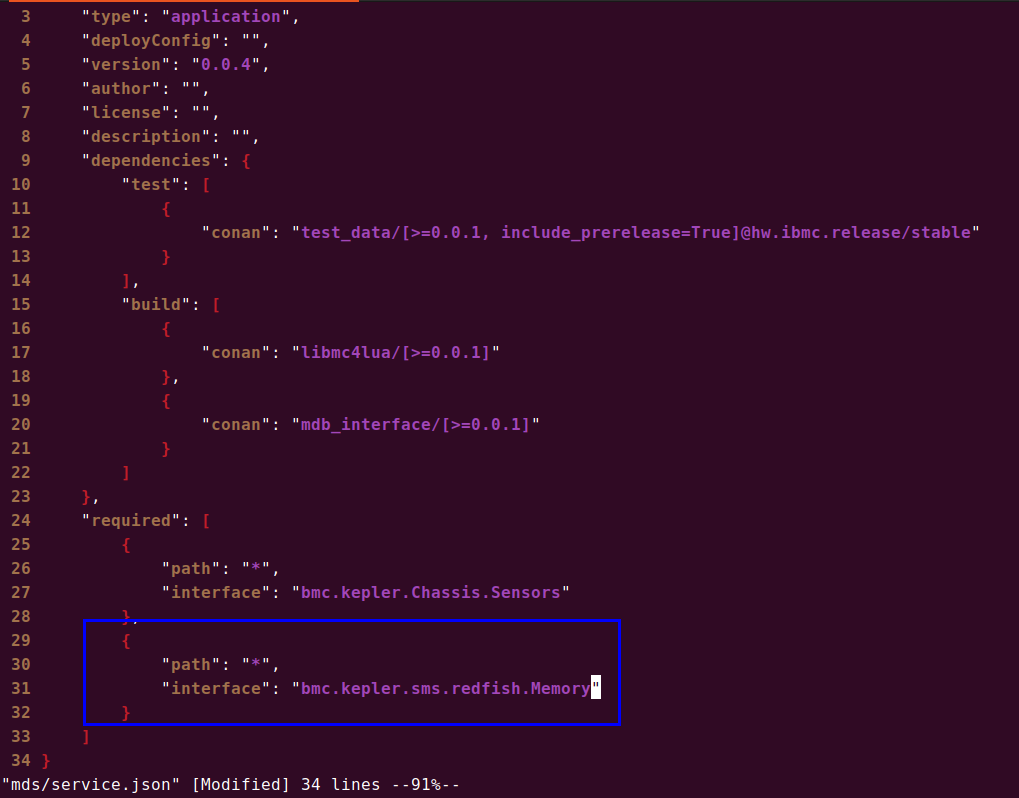
您在 service.json 中声明了如下依赖:
{
  "path": "*",
  "interface": "bmc.kepler.sms.redfish.Memory"
}
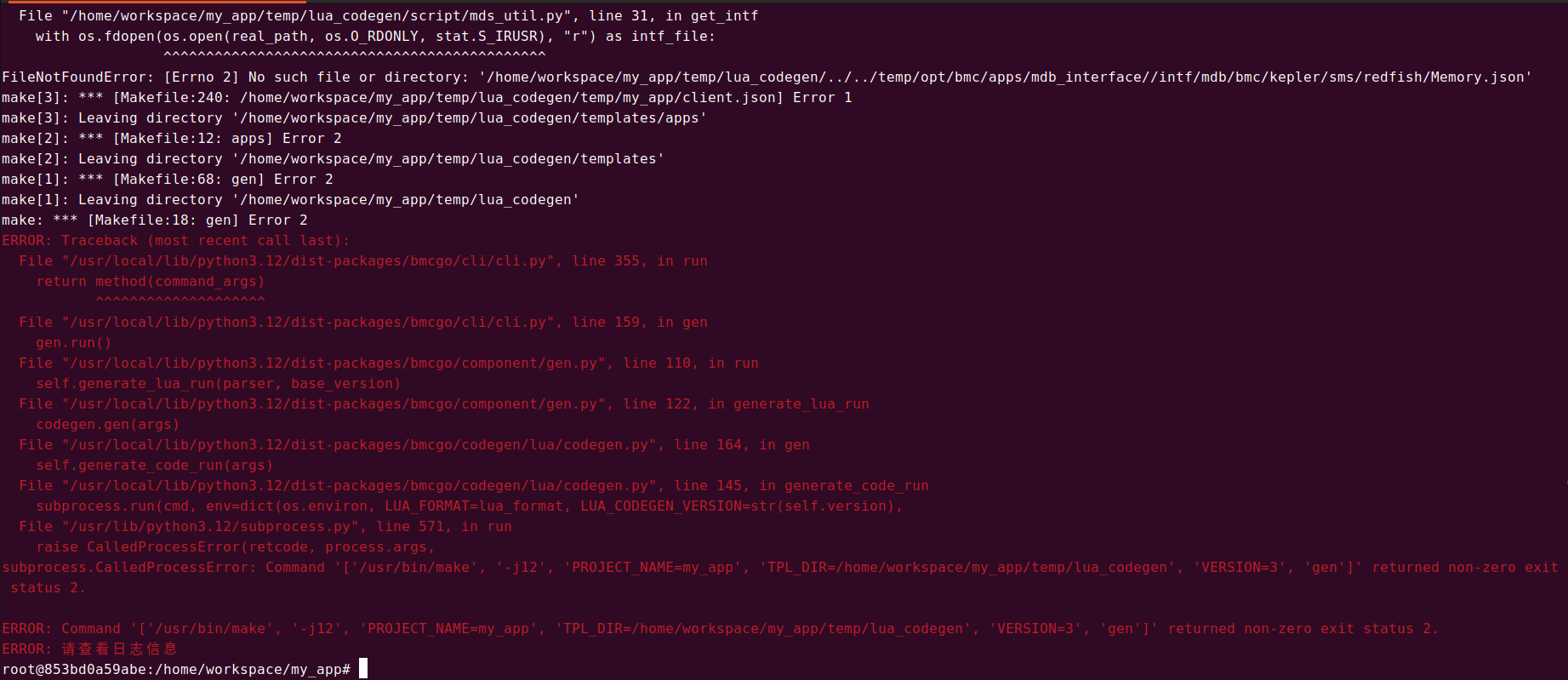
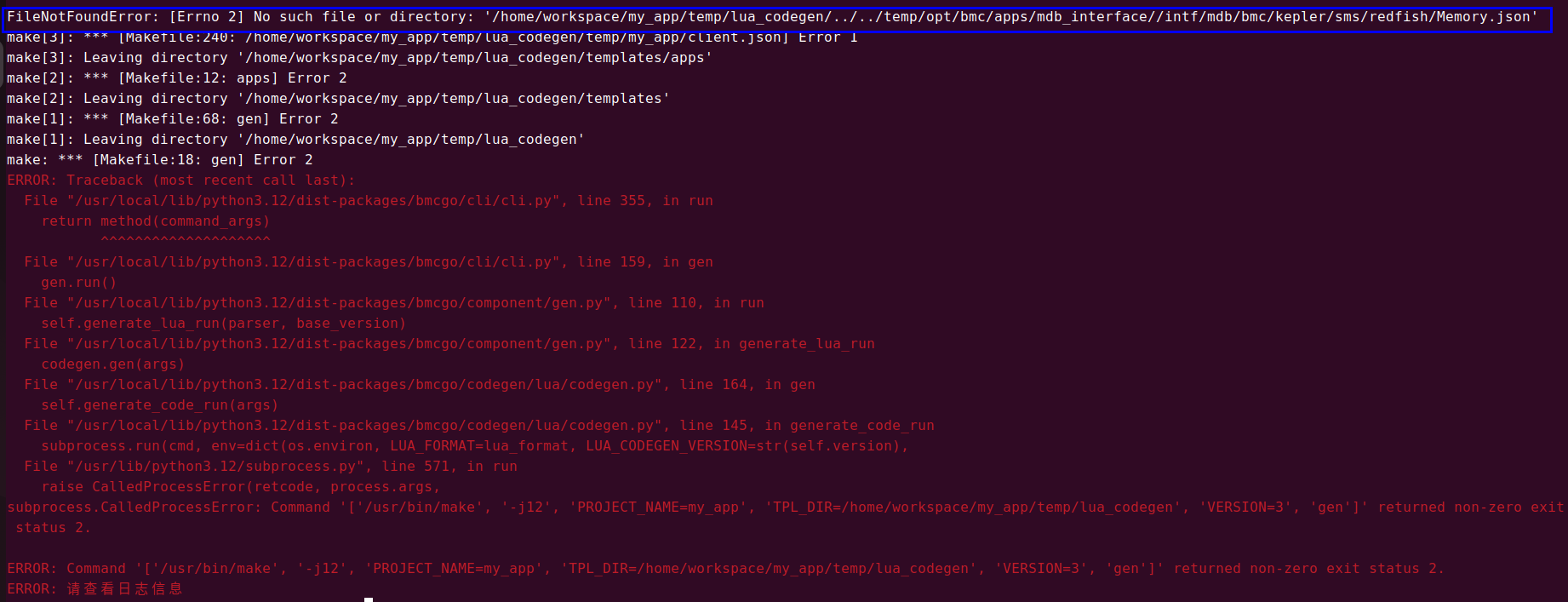
但生成时报错:
FileNotFoundError: [Errno 2] No such file or directory:
'/home/workspace/my_app/temp/lua_codegen/../../temp/opt/bmc/apps/mdb_interface//intf/mdb/bmc/kepler/sms/redfish/Memory.json'
这说明:
- 系统尝试加载接口
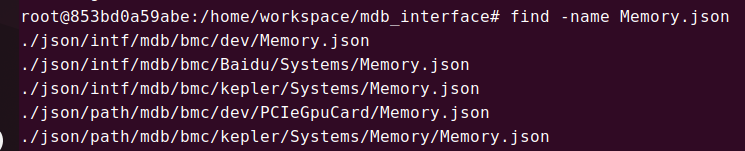
bmc.kepler.sms.redfish.Memory 的定义文件 Memory.json,但该文件不存在。
- 因此,
bingo gen 无法生成代码,导致失败。
 核心结论
核心结论
不能直接通过接口依赖方式访问“私有属性”,尤其当对应接口定义(如 .json 文件)不存在时。
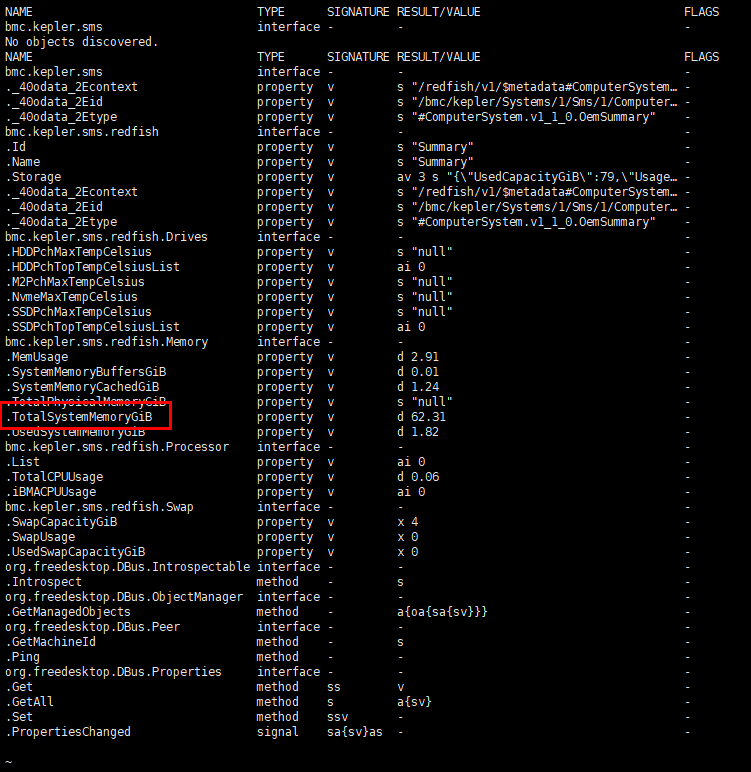
TotalSystemMemoryGiB 是 host_agent 组件通过 D-Bus 暴露的 运行时属性(property),但它所属的接口 bmc.kepler.sms.redfish.Memory 并未在 mdb_interface 中公开其 JSON 接口定义文件,因此:
- 该属性实际存在(
busctl 可见)
- 不可通过标准
service.json + bingo gen 机制自动生成访问代码
解决方案
方案一:使用低级 D-Bus API 手动读取属性(推荐)
由于无法通过模型生成访问代码,您可以使用 D-Bus 的通用机制(如 Get 方法)从代码中手动读取属性值。
步骤 1:确保依赖 D-Bus 客户端库
确保 my_app 的依赖中包含 libmc4lua,用于 D-Bus 通信。
"dependencies": {
  "build": [
    {
      "conan": "libmc4lua/[>=0.0.1]"
    },
    {
      "conan": "mdb_interface/[>=0.0.1]"
    }
  ]
}
步骤 2:在 Lua 代码中调用 D-Bus Get 方法获取属性
-- client.lua 或自定义模块中
local dbus = require("mc_core.dbus")

function get_total_system_memory_gb(cb)
    local service = "bmc.kepler.host_agent"
    local object_path = "/bmc/kepler/Systems/1/Sms/1/ComputerSystem/Systems/1/Summary/Memory"
    local interface = "bmc.kepler.sms.redfish.Memory"
    local property = "TotalSystemMemoryGiB"

    -- 使用 D-Bus Properties 接口的 Get 方法
    dbus:Get({
        service = service,
        path = object_path,
        interface = "org.freedesktop.DBus.Properties",
        method = "Get",
        args = { interface, property },
        callback = function(result)
            if result.err then
                print("Failed to get property: " .. result.err)
                cb(nil)
            else
                -- result.value 是 variant 类型,提取 double 值
                local value = result.value
                print("TotalSystemMemoryGiB: " .. tostring(value))
                cb(value)
            end
        end
    })
end

-- 调用示例
get_total_system_memory_gb(function(mem)
    if mem then
        print("Got memory: " .. mem .. " GiB")
    end
end)
解释:
- 使用
org.freedesktop.DBus.Properties.Get 接口是访问任意 D-Bus 属性的标准方式。
- 参数为
(interface_name, property_name),返回 variant 包装的值。
busctl introspect 显示该接口支持 org.freedesktop.DBus.Properties → 可安全使用。
方案二:联系平台方提供接口定义(长期方案)
若需频繁访问此属性或团队内多个组件需要使用,建议:
- 请求
host_agent 团队提供 Memory.json 接口定义文件,并提交到 mdb_interface 仓库。
- 在
json/intf/mdb/bmc/kepler/sms/redfish/Memory.json 添加类似内容:
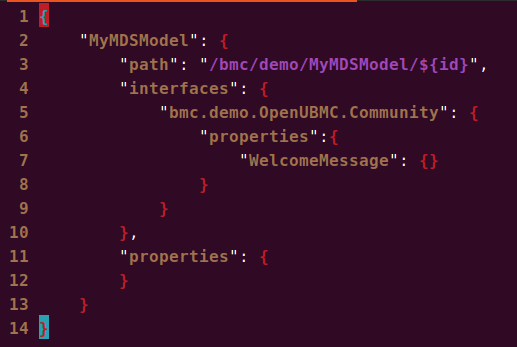
{
  "interface": "bmc.kepler.sms.redfish.Memory",
  "properties": {
    "TotalSystemMemoryGiB": {
      "type": "double",
      "readonly": true
    },
    "UsedSystemMemoryGiB": {
      "type": "double",
      "readonly": true
    }
  }
}
- 提交后更新
mdb_interface 版本,并在 my_app 中正常引用:
"required": [
  {
    "interface": "bmc.kepler.sms.redfish.Memory",
    "path": "/bmc/kepler/Systems/1/Sms/1/ComputerSystem/Systems/1/Summary/Memory"
  }
]
- 运行
bingo gen,系统将自动生成 client.lua 中的访问方法。
方案三:通过 Redfish REST API 获取(替代方案)
如果 D-Bus 访问受限,也可以通过 Redfish 接口获取数据:
URL: GET /redfish/v1/Systems/1/Oem/Huawei/SMS/Summary/Memory
该接口底层即映射到上述 D-Bus 属性,可通过 httpc 发起请求。
local httpc = require("mc_core.httpc")

httpc.get({
    url = "http://localhost:8080/redfish/v1/Systems/1/Oem/Huawei/SMS/Summary/Memory",
    headers = { ["X-Auth-Token"] = token },
    callback = function(res)
        if res.status == 200 then
            local data = json.decode(res.body)
            print("TotalSystemMemoryGiB:", data.TotalSystemMemoryGiB)
        end
    end
})
 注意:需处理认证(如 Token)、网络延迟等问题。
 总结与建议
总结与建议
| 项目 |
说明 |
能否直接依赖 bmc.kepler.sms.redfish.Memory? |
不行,因缺少 Memory.json 接口定义文件 |
为何 bingo gen 报错? |
构建系统找不到接口定义文件,无法生成代码 |
| 如何获取私有属性? |
使用 D-Bus 低级 API 手动调用 org.freedesktop.DBus.Properties.Get |
| 推荐实现方式 |
Lua 中通过 dbus:Get() 方法安全访问属性 |
| 长期建议 |
推动平台侧完善接口定义,纳入 MDS 模型管理 |
 参考资料
参考资料
busctl introspect 输出验证了属性存在且接口支持 org.freedesktop.DBus.Propertiesorg.freedesktop.DBus.Properties.Get 是访问 D-Bus 属性的标准方法- 文档 “如何在自定义组件中调用别的服务的方法” 提供了类似跨组件调用实践
host_agent 组件已在运行时暴露 TotalSystemMemoryGiB,证明属性有效
结论:虽然不能通过模型生成访问私有属性,但可通过标准 D-Bus API 安全读取。建议优先采用 手动调用 Get 方法 的方式实现功能。