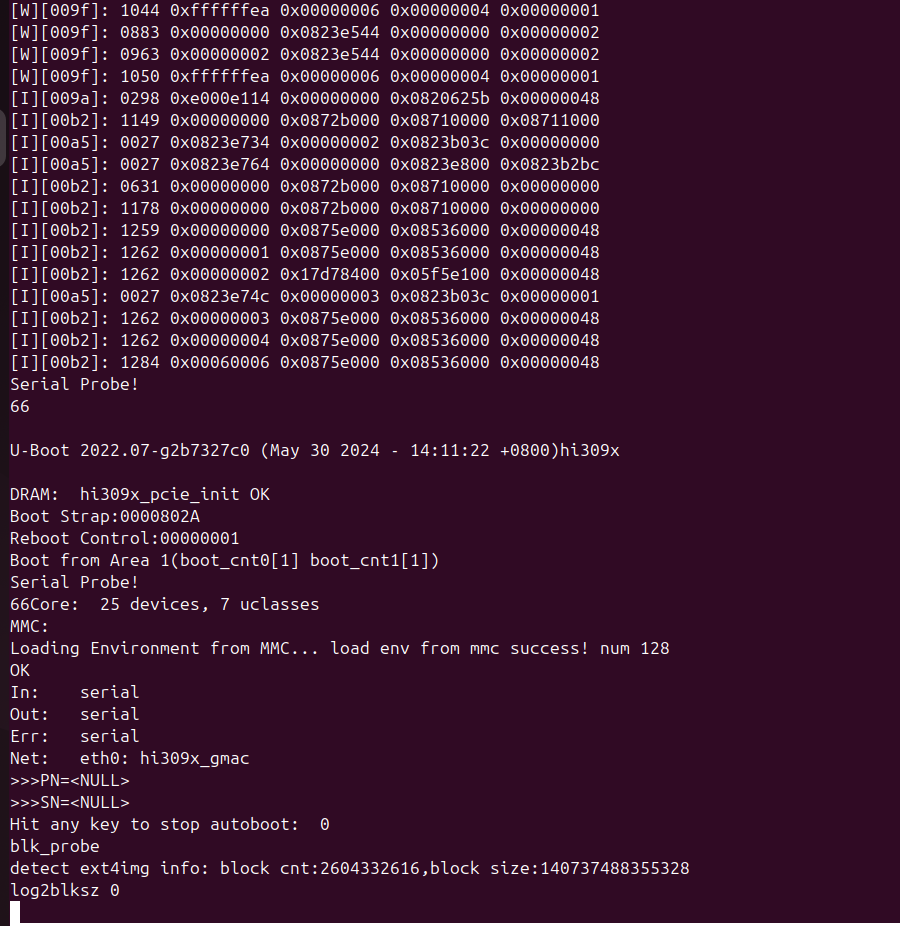
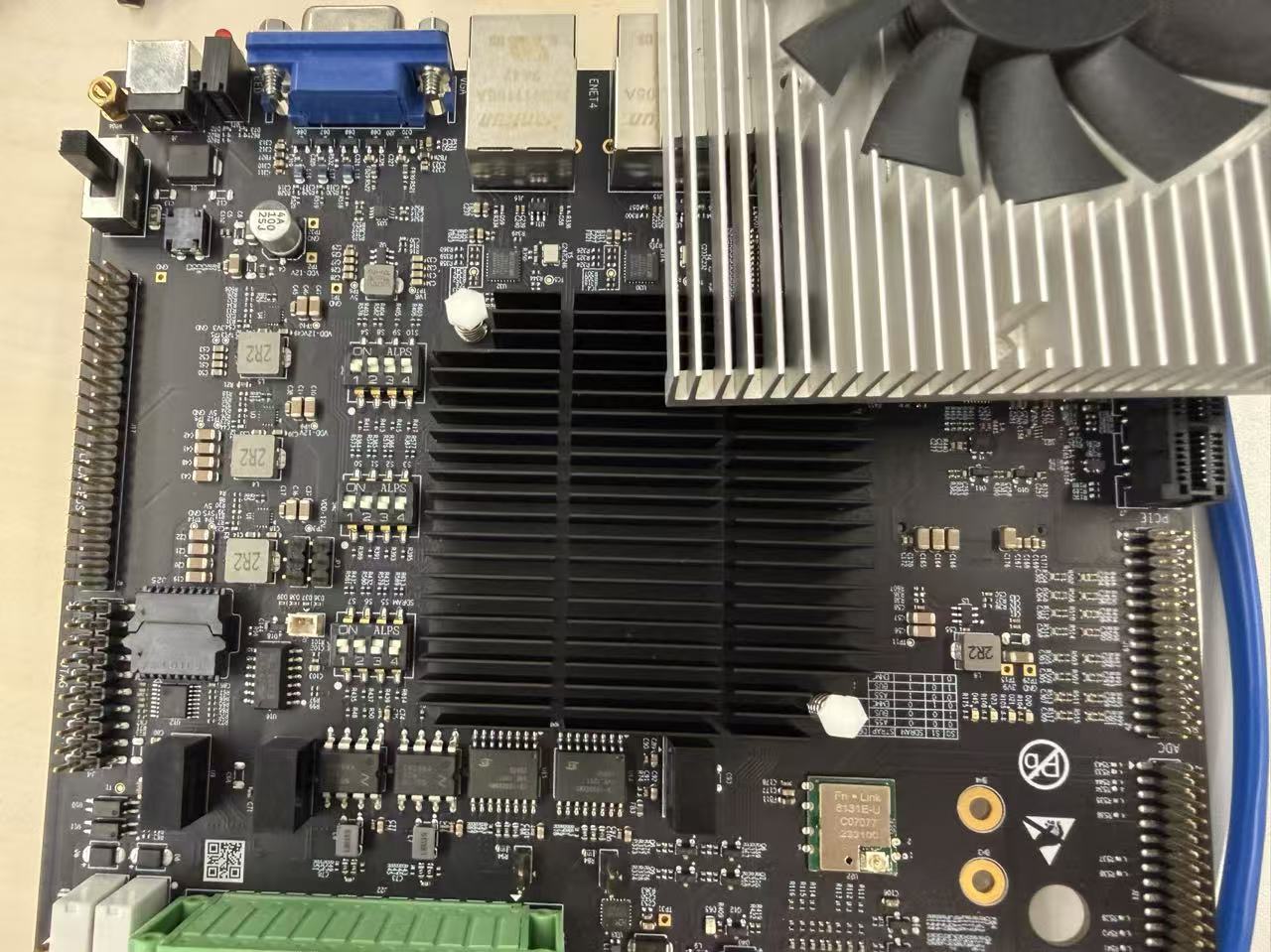
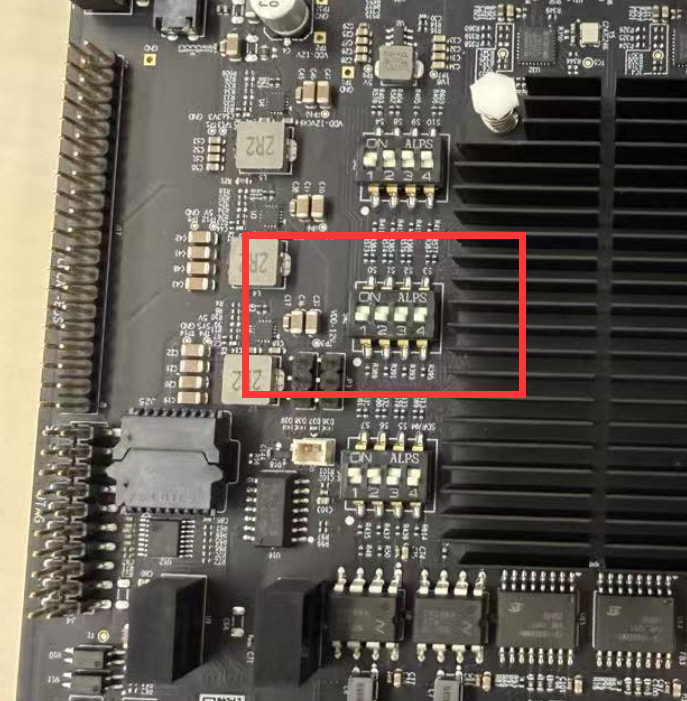
按照米尔开发板教程,用的是Hi3093预制镜像。然后执行hi3093 /tmp # ./hi3093_upgrade.sh 4096 没有出现成功,全程log如下
hi3093 /tmp # ./hi3093_upgrade.sh 4096
-/bin/sh: ./hi3093_upgrade.sh: Permission denied
hi3093 /tmp # mount | grep /tmp
tmpfs on /tmp type tmpfs (rw,nosuid,nodev,noexec,relatime)
hi3093 /tmp # sh ./hi3093_upgrade.sh 4096
update L0FW…
70+1 records in
70+1 records out
72088 bytes (72 kB, 70 KiB) copied, 0.0153056 s, 4.7 MB/s
70+1 records in
70+1 records out
72088 bytes (72 kB, 70 KiB) copied, 0.0111955 s, 6.4 MB/s
update L1FW…
178+1 records in
178+1 records out
182876 bytes (183 kB, 179 KiB) copied, 0.0300691 s, 6.1 MB/s
178+1 records in
178+1 records out
182876 bytes (183 kB, 179 KiB) copied, 0.0270531 s, 6.8 MB/s
update uboot…
504+1 records in
504+1 records out
516616 bytes (517 kB, 505 KiB) copied, 0.0831492 s, 6.2 MB/s
504+1 records in
504+1 records out
516616 bytes (517 kB, 505 KiB) copied, 0.0796414 s, 6.5 MB/s
erase mmcblkogp…
393216+0 records in
393216+0 records out
402653184 bytes (403 MB, 384 MiB) copied, 72.7896 s, 5.5 MB/s
[ 2759.661574] EXT4-fs error (device mmcblk0gp1) in ext4_reserve_inode_write:5793: Corrupt filesystem
[ 2759.662295] EXT4-fs error (device mmcblk0gp1) in ext4_reserve_inode_write:5793: Corrupt filesystem
[ 2759.662696] EXT4-fs error (device mmcblk0gp1) in ext4_reserve_inode_write:5793: Corrupt filesystem
[ 2759.662791] EXT4-fs error (device mmcblk0gp1): ext4_dirty_inode:5995: inode #105: comm hisi_key.sh: mark_inode_dirty error
[ 2759.663262] EXT4-fs error (device mmcblk0gp1) in ext4_reserve_inode_write:5793: Corrupt filesystem
[ 2759.663350] EXT4-fs error (device mmcblk0gp1): ext4_dirty_inode:5995: inode #106: comm hisi_key.sh: mark_inode_dirty error
[ 2759.664452] EXT4-fs error (device mmcblk0gp1) in ext4_reserve_inode_write:5793: Corrupt filesystem
[ 2759.664545] EXT4-fs error (device mmcblk0gp1): ext4_dirty_inode:5995: inode #758: comm sed: mark_inode_dirty error
[ 2759.671255] EXT4-fs error (device mmcblk0gp1) in ext4_reserve_inode_write:5793: Corrupt filesystem
[ 2759.672811] EXT4-fs error (device mmcblk0gp1): ext4_dirty_inode:5995: inode #14: comm hisi_key.sh: mark_inode_dirty error
[ 2760.663891] jbd2_journal_bmap: journal block not found at offset 2385 on mmcblk0gp1-8
[ 2760.671957] Aborting journal on device mmcblk0gp1-8.
[ 2760.677620] EXT4-fs (mmcblk0gp1): Remounting filesystem read-only
[ 2760.680740] EXT4-fs (mmcblk0gp1): Remounting filesystem read-only
[ 2769.215995] EXT4-fs error (device mmcblk0gp1): ext4_map_blocks:598: inode #32655: block 3502: comm crond: lblock 0 mapped to illegal pblock 3502 (
length 1)
[ 2769.236281] EXT4-fs error (device mmcblk0gp1): ext4_map_blocks:598: inode #32267: block 3096: comm crond: lblock 0 mapped to illegal pblock 3096 (
length 1)
[ 2769.252575] EXT4-fs error (device mmcblk0gp1): ext4_map_blocks:598: inode #32267: block 3096: comm crond: lblock 0 mapped to illegal pblock 3096 (
length 1)
[ 2769.269399] EXT4-fs error (device mmcblk0gp1): ext4_map_blocks:598: inode #32655: block 3502: comm crond: lblock 0 mapped to illegal pblock 3502 (
length 1)
[ 2829.286552] EXT4-fs error (device mmcblk0gp1): ext4_map_blocks:598: inode #32655: block 3502: comm crond: lblock 0 mapped to illegal pblock 3502 (length 1)
[ 2829.303292] EXT4-fs error (device mmcblk0gp1): ext4_map_blocks:598: inode #32267: block 3096: comm crond: lblock 0 mapped to illegal pblock 3096 (length 1)
[ 2829.322186] EXT4-fs error (device mmcblk0gp1): ext4_map_blocks:598: inode #32267: block 3096: comm crond: lblock 0 mapped to illegal pblock 3096 (length 1)
[ 2829.336797] EXT4-fs error (device mmcblk0gp1): ext4_map_blocks:598: inode #32655: block 3502: comm crond: lblock 0 mapped to illegal pblock 3502 (length 1)
393216+0 records in
393216+0 records out
402653184 bytes (403 MB, 384 MiB) copied, 70.842 s, 5.7 MB/s
[ 2889.352432] EXT4-fs error (device mmcblk0gp1): ext4_map_blocks:598: inode #32655: block 3502: comm crond: lblock 0 mapped to illegal pblock 3502 (length 1)
[ 2889.368834] EXT4-fs error (device mmcblk0gp1): ext4_map_blocks:598: inode #32267: block 3096: comm crond: lblock 0 mapped to illegal pblock 3096 (length 1)
[ 2889.392471] EXT4-fs error (device mmcblk0gp1): ext4_map_blocks:598: inode #32267: block 3096: comm crond: lblock 0 mapped to illegal pblock 3096 (length 1)
[ 2889.406560] EXT4-fs error (device mmcblk0gp1): ext4_map_blocks:598: inode #32655: block 3502: comm crond: lblock 0 mapped to illegal pblock 3502 (length 1)
393216+0 records in
393216+0 records out
402653184 bytes (403 MB, 384 MiB) copied, 72.6861 s, 5.5 MB/s
update Hi3093_ext4fs.img…
86310+1 records in
86310+1 records out
88381975 bytes (88 MB, 84 MiB) copied, 1.02058 s, 86.6 MB/s
86310+1 records in
86310+1 records out
88381975 bytes (88 MB, 84 MiB) copied, 1.04627 s, 84.5 MB/s
86310+1 records in
86310+1 records out
88381975 bytes (88 MB, 84 MiB) copied, 1.0166 s, 86.9 MB/s
Hi3093_ext4fs_cms.bin…
36+0 records in
36+0 records out
36864 bytes (37 kB, 36 KiB) copied, 0.00063328 s, 58.2 MB/s
36+0 records in
36+0 records out
36864 bytes (37 kB, 36 KiB) copied, 0.00063252 s, 58.3 MB/s
36+0 records in
36+0 records out
36864 bytes (37 kB, 36 KiB) copied, 0.000583 s, 63.2 MB/s
hi3093 /tmp # [ 2949.421548] EXT4-fs error (device mmcblk0gp1): ext4_map_blocks:598: inode #32655: block 3502: comm crond: lblock 0 mapped to illegal pblock 3502 (length 1)
[ 2949.441473] EXT4-fs error (device mmcblk0gp1): ext4_map_blocks:598: inode #32267: block 3096: comm crond: lblock 0 mapped to illegal pblock 3096 (length 1)
[ 2949.460025] EXT4-fs error (device mmcblk0gp1): ext4_map_blocks:598: inode #32267: block 3096: comm crond: lblock 0 mapped to illegal pblock 3096 (length 1)
[ 2949.475074] EXT4-fs error (device mmcblk0gp1): ext4_map_blocks:598: inode #32655: block 3502: comm crond: lblock 0 mapped to illegal pblock 3502 (length 1)
[ 3009.492649] EXT4-fs error (device mmcblk0gp1): ext4_map_blocks:598: inode #32655: block 3502: comm crond: lblock 0 mapped to illegal pblock 3502 (length 1)
[ 3009.512128] EXT4-fs error (device mmcblk0gp1): ext4_map_blocks:598: inode #32267: block 3096: comm crond: lblock 0 mapped to illegal pblock 3096 (length 1)
[ 3009.529659] EXT4-fs error (device mmcblk0gp1): ext4_map_blocks:598: inode #32267: block 3096: comm crond: lblock 0 mapped to illegal pblock 3096 (length 1)
[ 3009.550315] EXT4-fs error (device mmcblk0gp1): ext4_map_blocks:598: inode #32655: block 3502: comm crond: lblock 0 mapped to illegal pblock 3502 (length 1)
[ 3069.566655] EXT4-fs error (device mmcblk0gp1): ext4_map_blocks:598: inode #32655: block 3502: comm crond: lblock 0 mapped to illegal pblock 3502 (length 1)
[ 3069.583310] EXT4-fs error (device mmcblk0gp1): ext4_map_blocks:598: inode #32267: block 3096: comm crond: lblock 0 mapped to illegal pblock 3096 (length 1)
[ 3069.599003] EXT4-fs error (device mmcblk0gp1): ext4_map_blocks:598: inode #32267: block 3096: comm crond: lblock 0 mapped to illegal pblock 3096 (length 1)
[ 3069.621380] EXT4-fs error (device mmcblk0gp1): ext4_map_blocks:598: inode #32655: block 3502: comm crond: lblock 0 mapped to illegal pblock 3502 (length 1)
hi3093 /tmp #
现在机器卡住下面
U-Boot 2022.07-g2b7327c0 (May 30 2024 - 14:11:22 +0800)hi309x
DRAM: hi309x_pcie_init OK
Boot Strap:0000802A
Reboot Control:00000001
Boot from Area 0(boot_cnt0[1] boot_cnt1[0])
Serial Probe!
66Core: 25 devices, 7 uclasses
MMC:
Loading Environment from MMC… load env from mmc success! num 128
OK
In: serial
Out: serial
Err: serial
Net: eth0: hi309x_gmac
PN=
SN=
Hit any key to stop autoboot: 0
=>
=> setenv ipaddr 192.168.1.123
=> setenv netmask 255.255.255.0
=> setenv gateway 192.168.1.1
=> setenv serverip 192.168.1.111
=> setenv tftp_dtb “tftp ${dtb_load_addr} hi3093.dtb”
=> run tftp_dtb
phy init failed, phy_id = 0xffffffff
Use eth2 ,phy addr is 0x3
Boot gmac[2] init ok!
Using hi309x_gmac device
TFTP from server 192.168.1.111; our IP address is 192.168.1.123
Filename ‘hi3093.dtb’.
Load address: 0x87400000
Loading: #
177.7 KiB/s
done
Bytes transferred = 13518 (34ce hex)
=> run tftp_network_boot
Using hi309x_gmac device
TFTP from server 192.168.1.111; our IP address is 192.168.1.123
Filename ‘hi3093.dtb’.
Load address: 0x87400000
Loading: #
879.9 KiB/s
done
Bytes transferred = 13518 (34ce hex)
Using hi309x_gmac device
TFTP from server 192.168.1.111; our IP address is 192.168.1.123
Filename ‘uImage’.
Load address: 0x87480000
Loading: #################################################################
#################################################################
#################################################################
##########################################
1 MiB/s
done
Bytes transferred = 3470400 (34f440 hex)
Using hi309x_gmac device
TFTP from server 192.168.1.111; our IP address is 192.168.1.123
Filename ‘initrd_boot.cpio.gz’.
Load address: 0xa1480000
Loading: #################################################################
#################################################################
#################################################################
#################################################################
#################################################################
#################################
1 MiB/s
done
Bytes transferred = 5242944 (500040 hex)
Booting kernel from Legacy Image at 87480000 …
Image Name: linux-5.10.0
Image Type: ARM Linux Kernel Image (uncompressed)
Data Size: 3470336 Bytes = 3.3 MiB
Load Address: 87480000
Entry Point: 87480040
Verifying Checksum … OK
Loading init Ramdisk from Legacy Image at a1480000 …
Image Name: Initramfs Boot
Image Type: ARM Linux RAMDisk Image (gzip compressed)
Data Size: 5242880 Bytes = 5 MiB
Load Address: 00000000
Entry Point: 00000000
Verifying Checksum … OK
ERROR: Did not find a cmdline Flattened Device Tree
Could not find a valid device tree
=>